

Agent Summary#
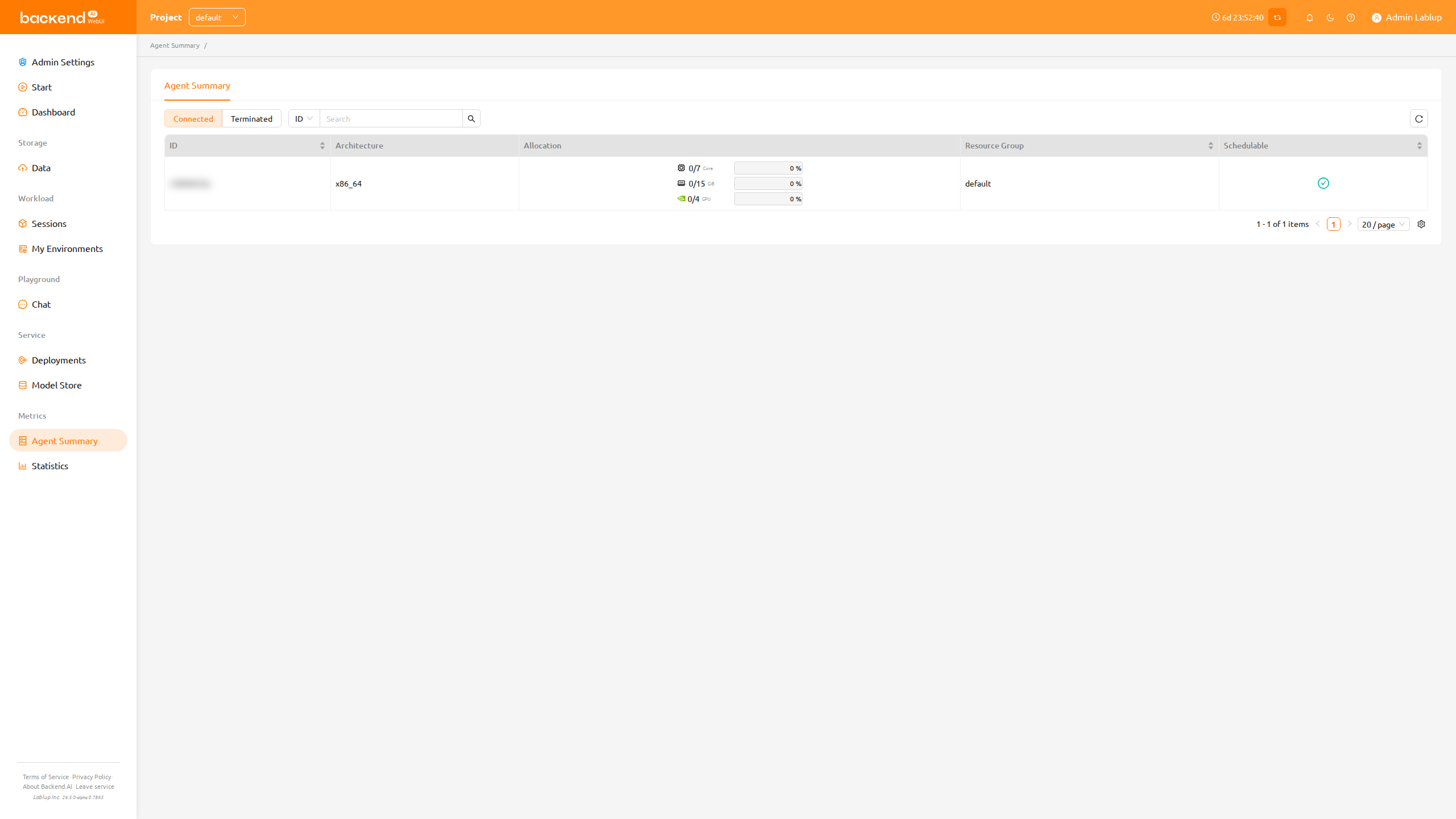
The Agent Summary page gives you a read-only overview of the compute agents (agent nodes) available to your project and how their resources are currently allocated. Use it to check how much CPU, memory, and accelerator capacity remains before you create a compute session.
NOTE
Depending on the server configuration, the Agent Summary feature may not be available. In that case, please contact the administrator of your system.
Columns#
The agent list displays the following columns:
- ID: The unique identifier of the agent.
- Architecture: The CPU architecture of the agent (for example,
x86_64). - Allocation: The occupied and available capacity for each resource slot on the agent, shown with a utilization progress bar.
- CPU is shown as the number of cores, memory in GiB, and any accelerators (such as GPU or fGPU) present on the agent are listed as additional slots.
- The progress bar turns red when utilization exceeds 80%.
- Resource Group: The resource group the agent belongs to.
- Schedulable: Whether the agent can accept new sessions. A check icon indicates the agent is schedulable, while a dimmed minus icon indicates it is not.
NOTE
Agents that belong to SFTP-dedicated resource groups are automatically excluded from this list, so storage-only agents do not appear here.